

Check a site’s identity
The padlock before a site’s name shows who its certificate was issued to and who vouches for it.
ROS for iPhone and iPad doesn’t have this yet. These steps are for ROS on a Mac.
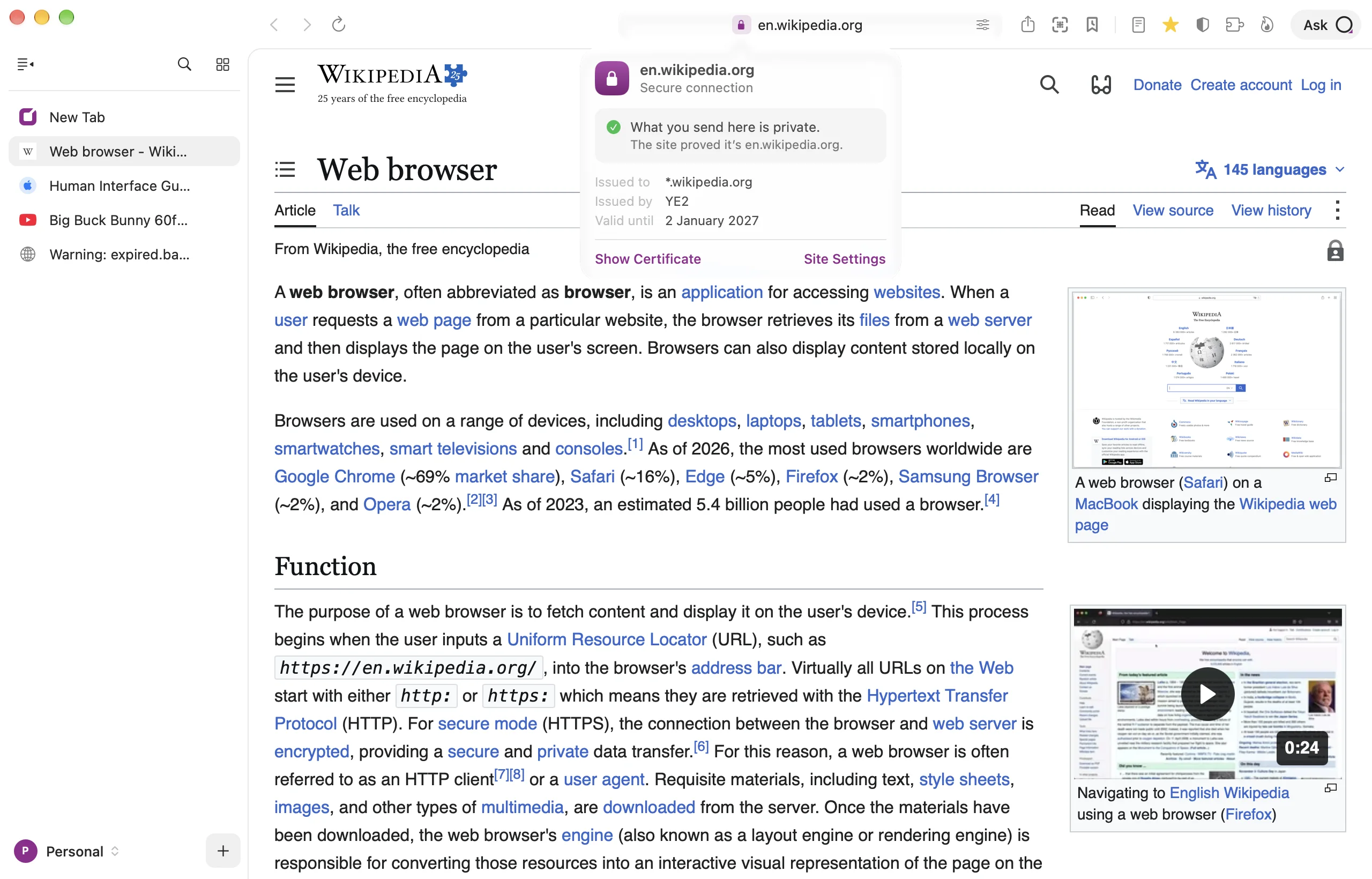
Check a site
- Click the padlock before the site’s name in the address bar.
- Read Issued to, Issued by and Valid until.
- Click Show Certificate for the full certificate.
Not secure
A page without a secure connection shows Not Secure instead of a padlock. ROS tries a secure connection first, and tells you when a site has none.
Was this helpful?