

Use iCloud Keychain and Touch ID
Your ROS passwords sync through iCloud Keychain, and ROS asks for Touch ID or Face ID before it shows or fills one.
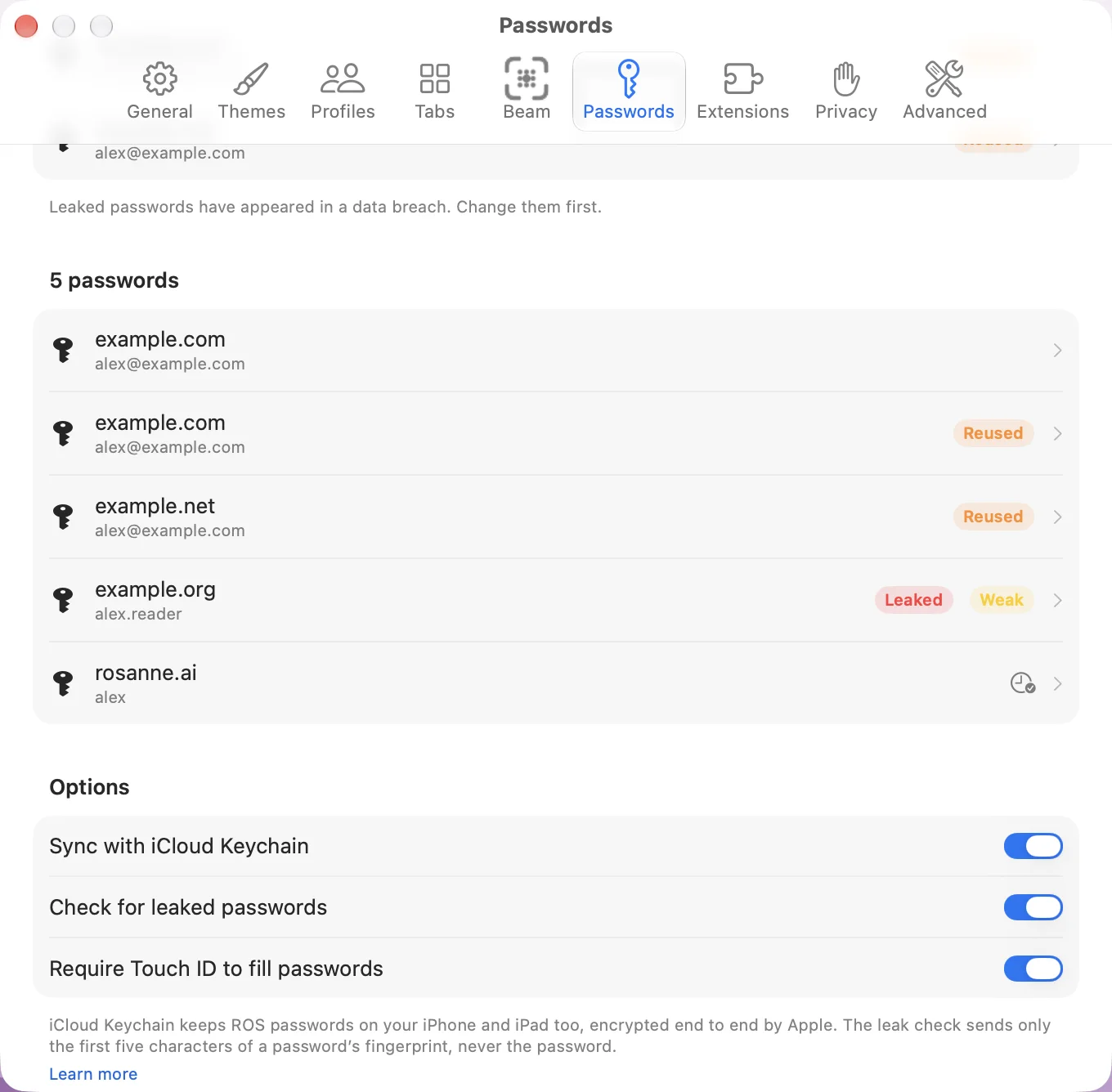
Sync with iCloud Keychain
Sync with iCloud Keychain is on from the start, under Options in Passwords settings. Your ROS passwords reach your iPhone and iPad too, encrypted end to end by Apple.
Ask before filling
On Mac
With Require Touch ID to fill passwords on, ROS asks for Touch ID or your Mac password before filling. Seeing or exporting passwords always asks.
On iPhone
With Require Face ID to Fill on, ROS asks for Face ID or your passcode before filling.
Fill ROS passwords in other apps
In Passwords settings, under AutoFill, click or tap Turn On. Or turn it on in your device’s Settings, under General › AutoFill & Passwords.
Was this helpful?