

Listen to a page
ROS reads an article aloud with your device’s own voices and follows along, sentence by sentence.

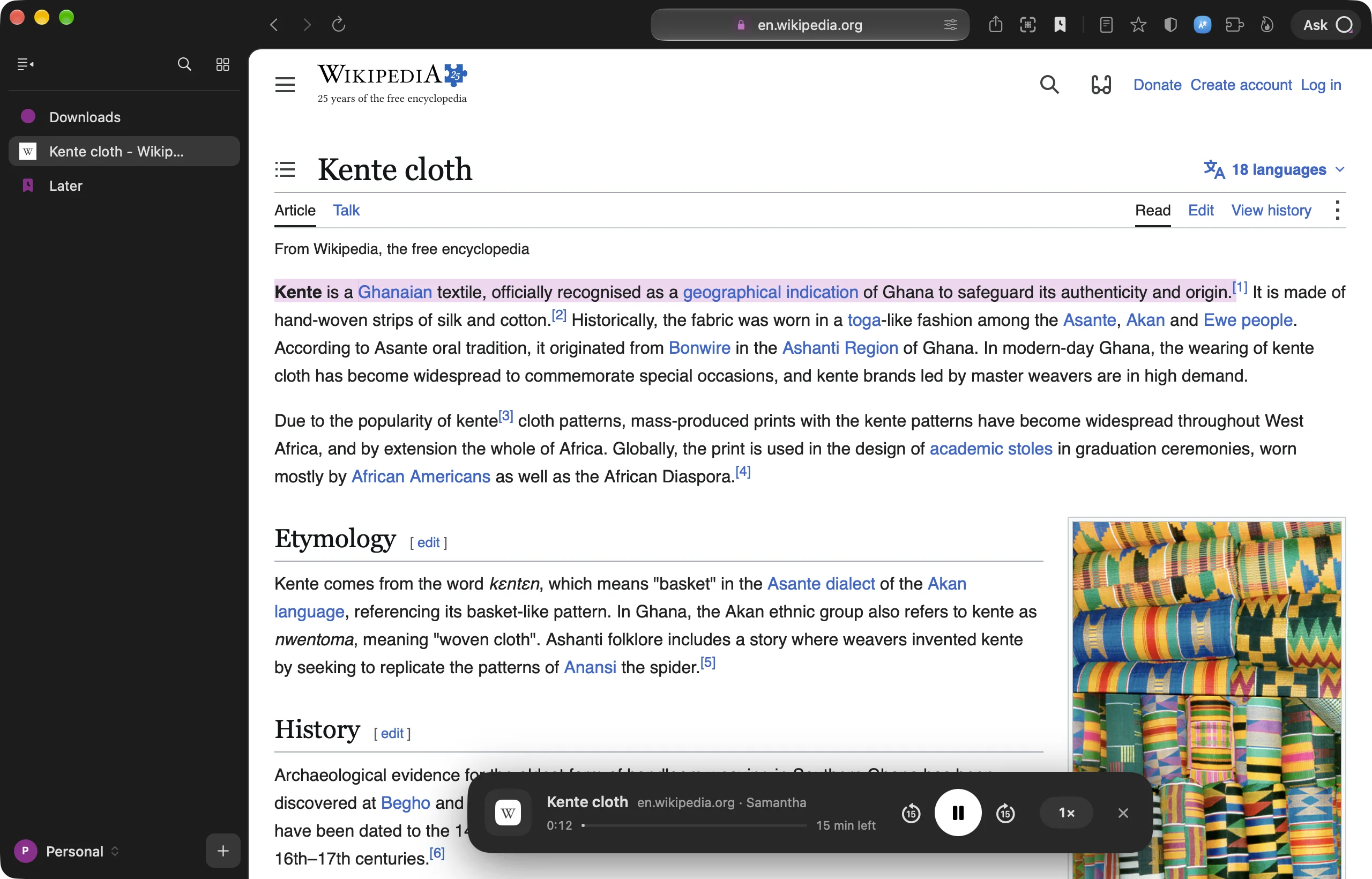
Start listening
On Mac
- Press Shift Command U, or choose View › Listen to Page. You can also point at Later in the toolbar and click Listen.
- A player appears at the bottom of the page, and ROS marks each sentence as it reads.
- Press Shift Command U to pause and again to carry on.
It keeps reading while you look at other tabs. Your keyboard’s media keys and AirPods control it too.
On iPhone
- Tap the shield at the left of the address bar, then Listen.
- A small player appears above the bar. It keeps reading with the screen locked.
Use the player
On Mac
- Go back or forward 15 seconds, or pause.
- Click the speed to step through 0.8×, 1×, 1.2×, 1.5×, 1.75× and 2×.
- Click the title to go back to the page being read.
On iPhone
Go back 15 seconds, pause, or tap the ✕ to stop. Touch and hold the player to choose a reading speed from 0.8× to 2×.
Was this helpful?