

Clear history and website data
Clear the last hour, day, week or everything, with or without cookies and site data.
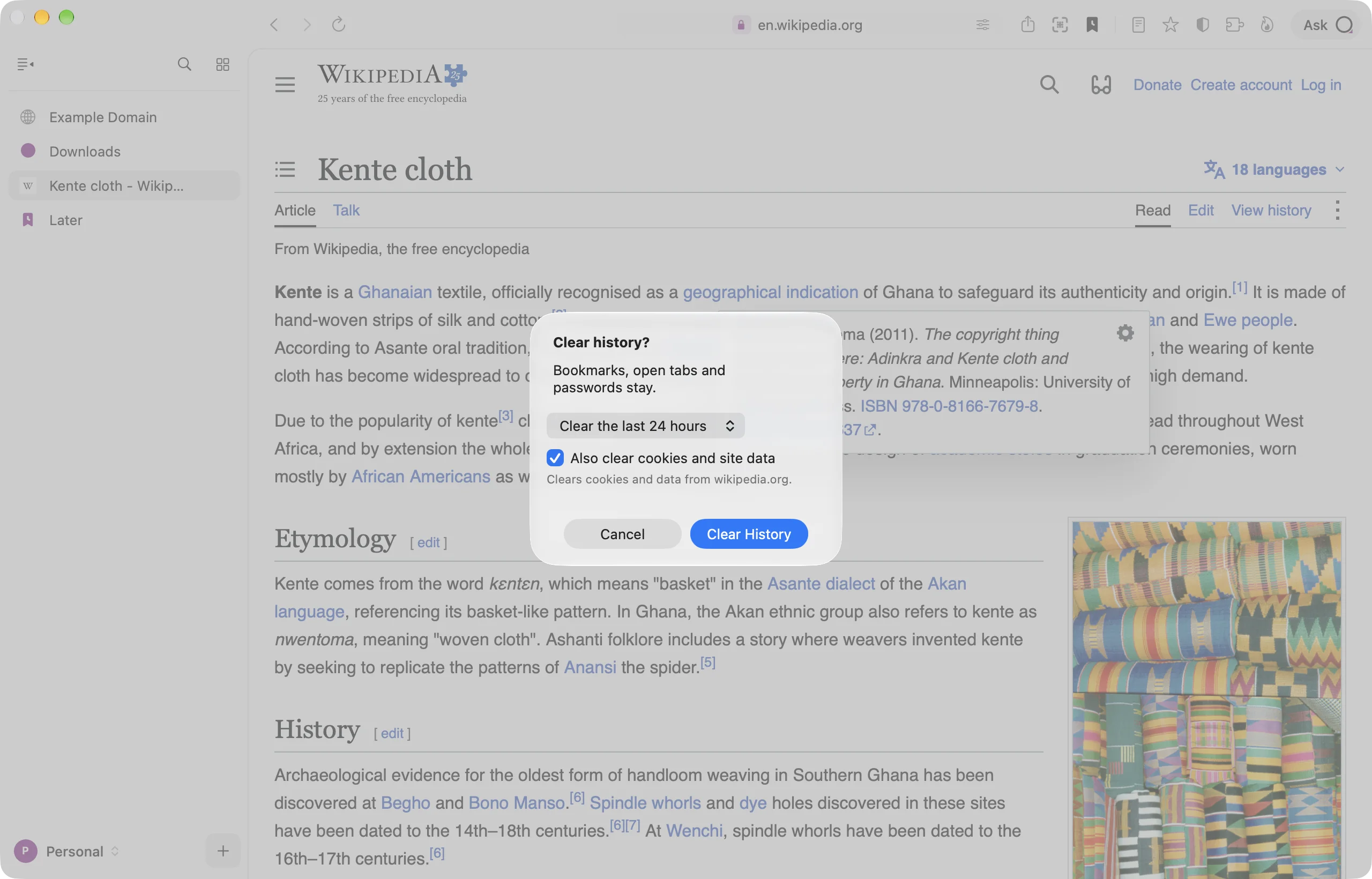
Clear history
On Mac
- Press Shift Command Delete or choose History › Clear History….
- Choose the last hour, the last 24 hours, the last 7 days, or all history.
- Tick Also clear cookies and site data to sign out of sites too. The note under it says which.
- Click Clear History.
On iPhone
- Tap the shield at the left of the address bar, then Settings, then Clear History….
- Choose The Last Hour, The Last 24 Hours, The Last 7 Days or All History.
- Turn on Also Clear Cookies and Site Data if you want, then tap Clear.
Bookmarks, open tabs and passwords stay.
Keep history for less time
On Mac
In Settings › Privacy, set Keep history for to one day, one week, one month, one year or forever.
On iPhone
In Settings, under History, set Keep History For.
Clear one site
On Mac
To clear one site completely, burn it with Fire.
On iPhone
In History, touch and hold a page and choose Forget with the site’s name.
Was this helpful?