

Tour Settings
What lives where in ROS Settings.
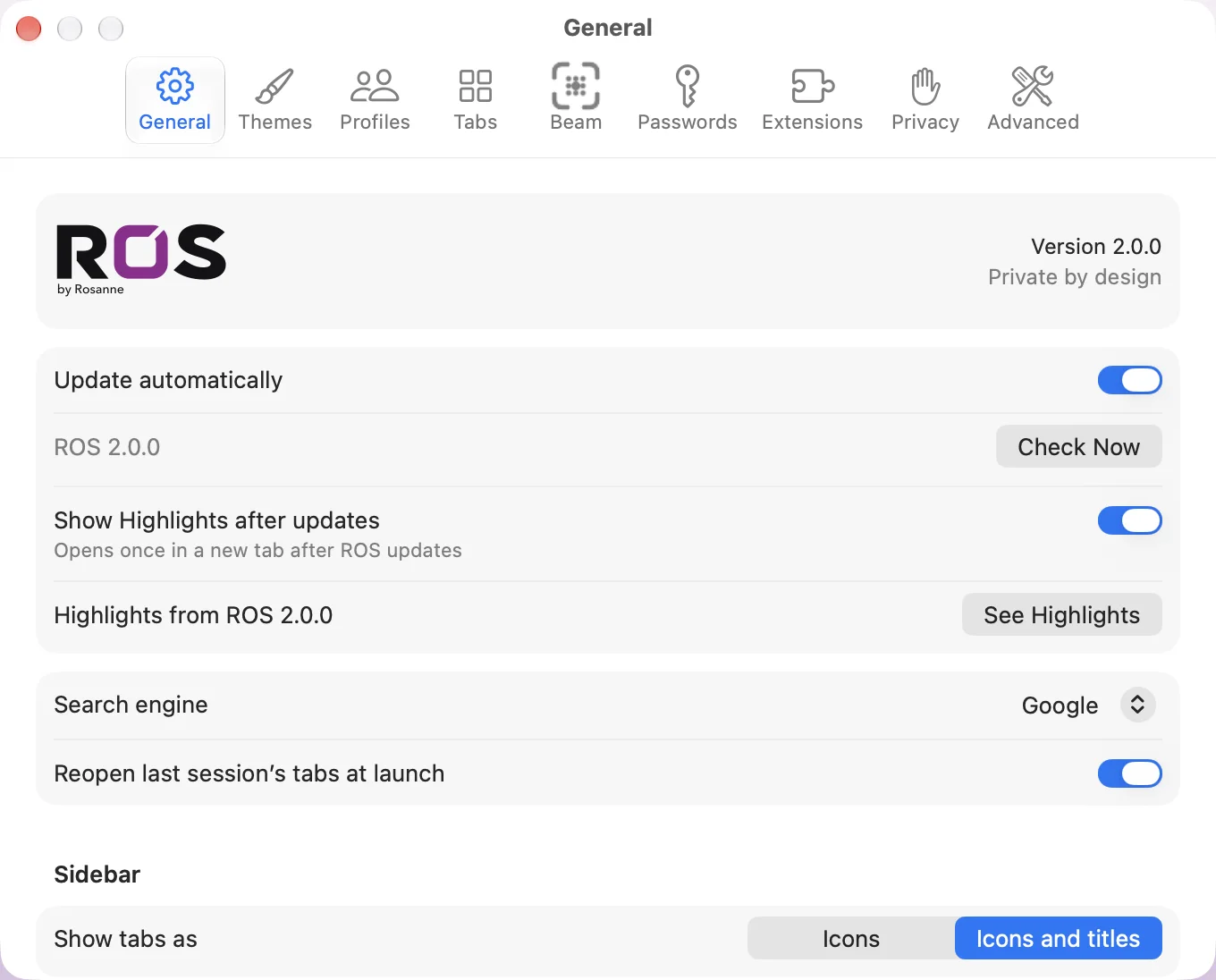
Settings on Mac
Press Command Comma or choose ROS › Settings….
- General: updates, Highlights, search engine, tabs at launch, the sidebar, where snapshots go, tidy download names, import, and making ROS your default browser.
- Themes: themes, light or dark, and Journey.
- Profiles: add, edit and remove profiles, and which opens first.
- Tabs: tab groups, Peek, Auto Float, sleeping tabs and battery.
- Beam: sending pages, and your paired devices.
- Passwords: your passwords, iCloud Keychain, leak checks, AutoFill, import and export.
- Extensions: turn extensions on or off, clear their data, add ROS’s own.
- Privacy: Shield, link cleaning, HTTPS, search suggestions, history, Fireproof sites and what’s stored on this Mac.
- Advanced: developer mode, developer tools, Writing Tools and predictive text.
Settings on iPhone
Tap the shield at the left of the address bar, then Settings.
- Passwords and Extensions at the top.
- Browsing: search engine, reopening tabs and sleeping tabs.
- Privacy: Shield, link cleaning, HTTPS, fraud warnings and what was blocked this week.
- History: your history, websites with their own settings, how long to keep history, and Clear History.
Was this helpful?