

Check for leaked passwords
ROS warns you about passwords that appeared in a data breach, and ones that are reused or weak.
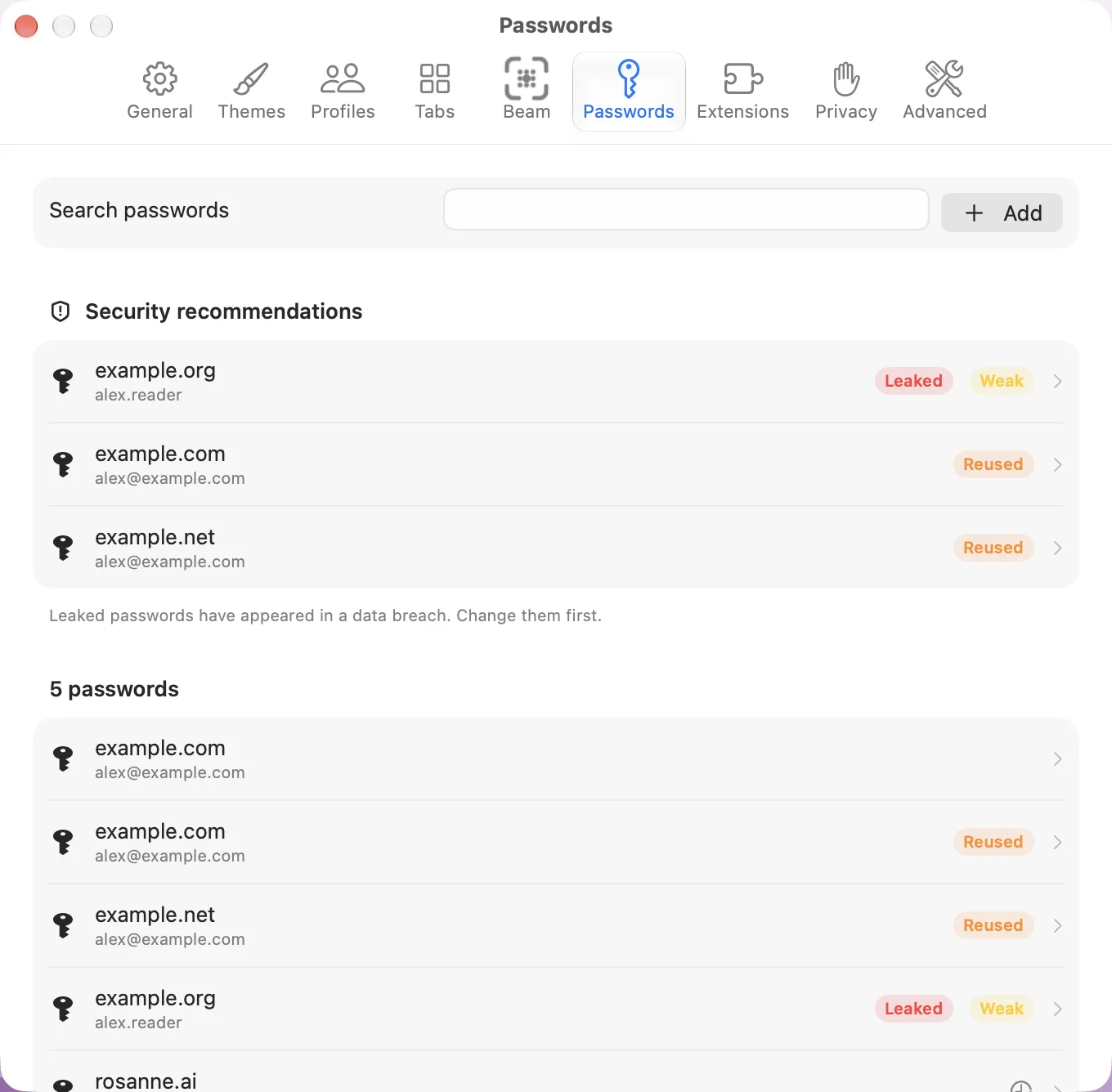
See recommendations
Open your passwords and unlock them. Security recommendations at the top marks passwords as Leaked, Reused or Weak. Change leaked ones first, using Change password on the site’s link.
How the check works
ROS sends only the first five characters of a password’s fingerprint, never the password. The match is worked out on your device.
On Mac
Turn the check off or on with Check for leaked passwords under Options in Settings › Passwords.
On iPhone
Turn it off or on with Check for Leaked Passwords under Options in Settings › Passwords.
Was this helpful?