

Use ROS on iPhone and iPad
The page edge to edge, and one bar at the bottom that does the rest.
This is for ROS on iPhone and iPad.
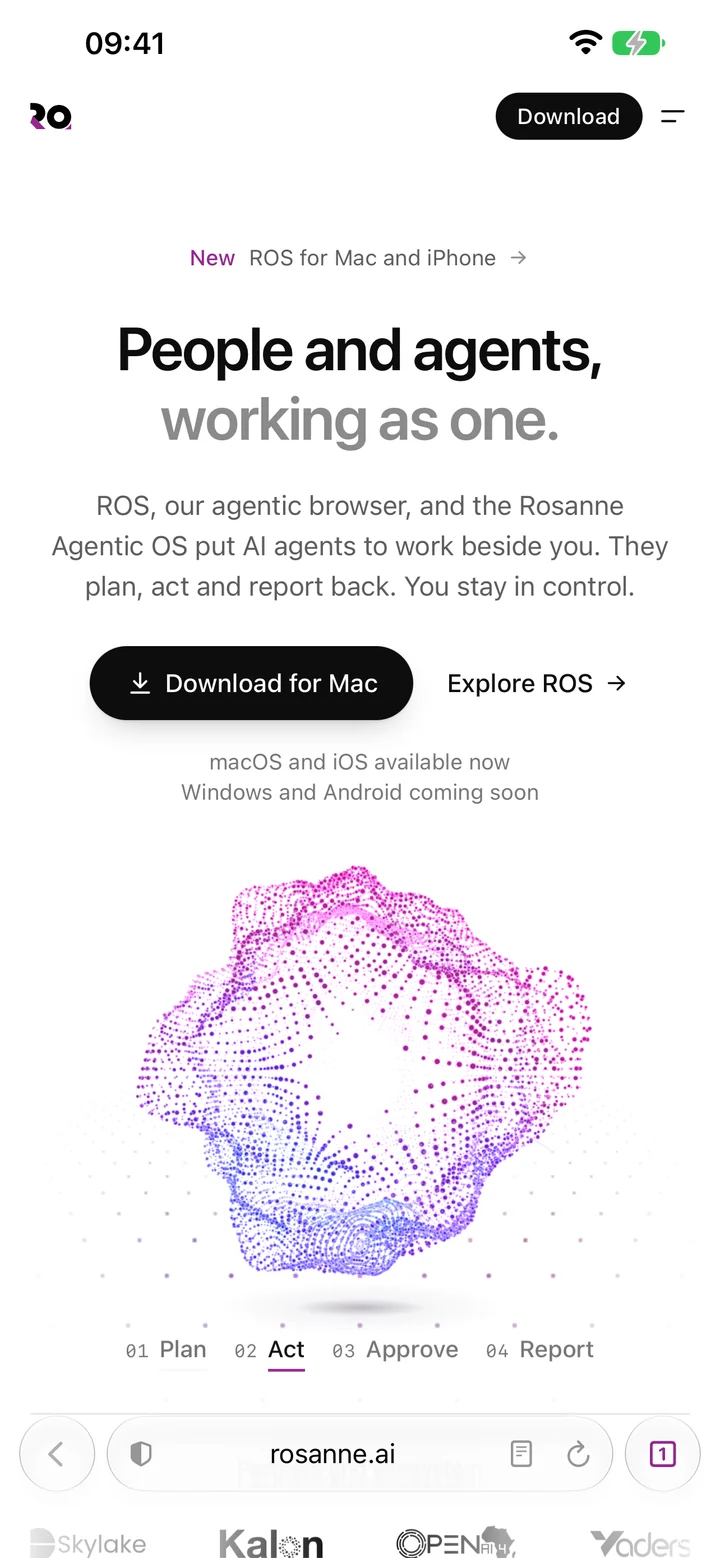
The bar
- Tap the address to search or go somewhere.
- Tap the shield at its left for the page menu: share, Beam, bookmarks, Reading Mode, Later, Listen, Website Settings, Downloads, History and Settings.
- Tap the tabs button to see every tab as a card. Touch and hold it for a new tab or a private tab.
- Swipe along the bar to move to the next or previous tab.
- Scroll down and the bar shrinks. Scroll up or tap it to bring it back.
On iPad
Tabs sit in a sidebar, and Reading Mode, Bookmark and Beam have buttons in the toolbar. With a keyboard:
| New tab | Command T |
|---|---|
| New private tab | Shift Command N |
| Open location | Command L |
| Close tab | Command W |
| Reading mode | Shift Command R |
Mac only, for now
Peek, Auto Float, Fire, Snapshot, tab groups, profiles, themes and Translate are on the Mac today.
Was this helpful?