

Manage, pause or clear an extension
Switch an extension off without losing its settings, limit it to some sites, clear what it keeps, or remove it.
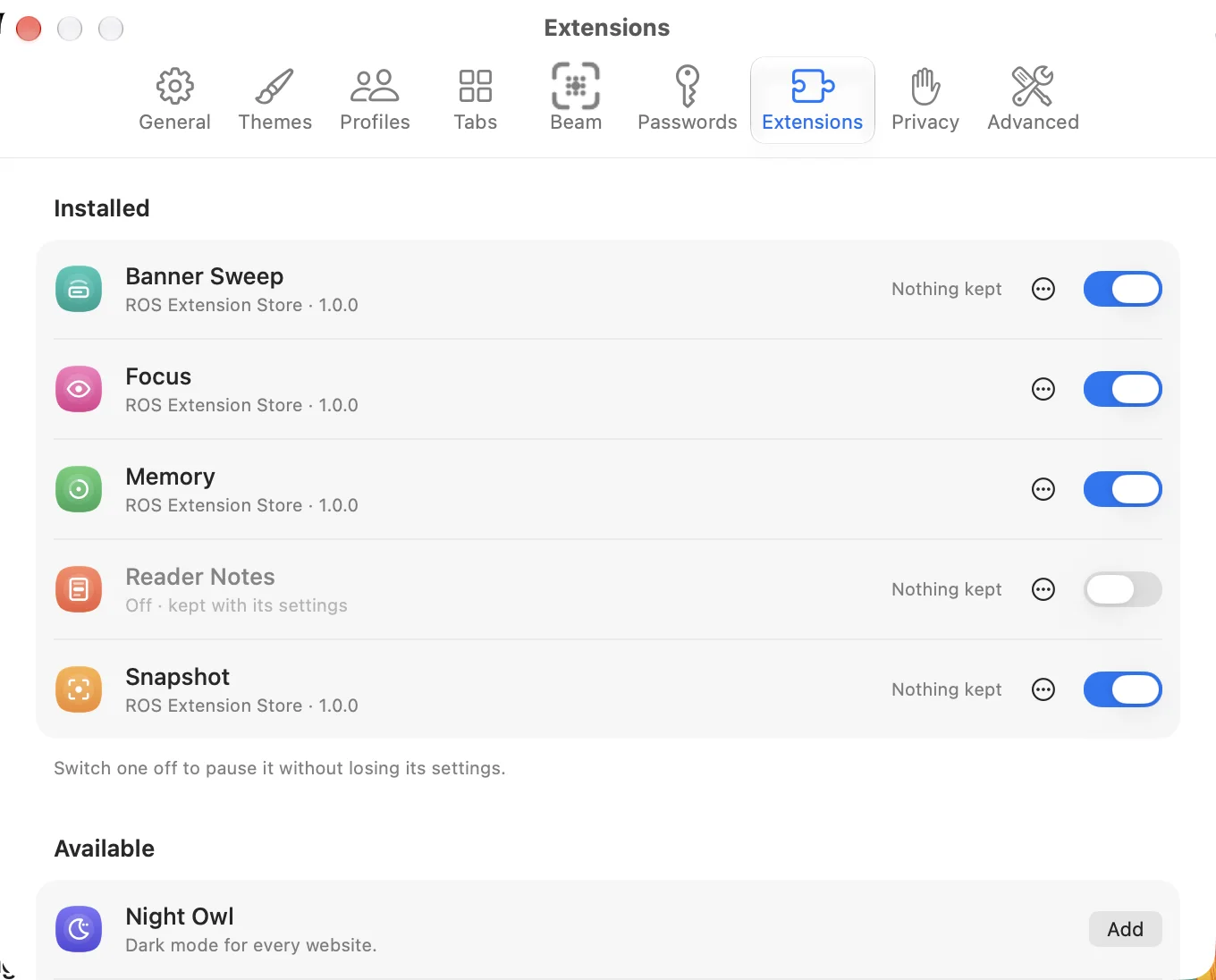
Pause or remove one
On Mac
Choose ROS › Extensions…. Switch an extension off to pause it: it keeps its settings. Choose Uninstall… from its ⋯ menu to remove it.
On iPhone
In Settings › Extensions, switch an extension off to pause it, or swipe left to uninstall it.
Use it on some sites only
Click the Extensions button in the toolbar, then › next to the extension. Switch off On for this site. You can also pin up to three extensions to the toolbar.
Clear what it keeps
In Settings › Extensions, choose Clear Data… from the extension’s ⋯ menu. Its settings and anything it saved, such as notes or lists, are removed. This can’t be undone.
Was this helpful?