

ROS 2.0 for Mac

Available now. iPhone is in beta; Windows and Android are coming soon.

Download for Mac
ContentsMake ROS yours

Change your search engine

Search with Google, DuckDuckGo, Kagi or Bing.
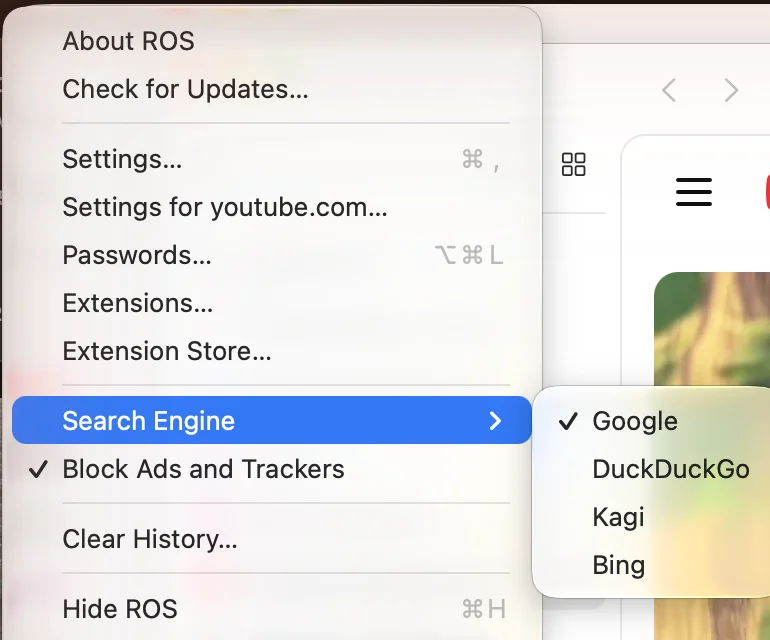
In ROS: ROS › Search Engine

Updated for ROS 2.0

The Search Engine submenu in the ROS menu, listing Google, DuckDuckGo, Kagi and Bing.
Pick an engine from the ROS menu.

Change it

On Mac

Choose ROS › Search Engine and pick one, or set Search engine in Settings › General.

On iPhone

Tap the shield at the left of the address bar, then Settings. Under Browsing, tap Search Engine.

Was this helpful?